Fibre Light Levels in a Data Centre: Reading an Optical Power Meter
A fibre light level is the optical power arriving at the end of a link, measured in dBm. It is only good or bad against the receive window of the optic at that end: below the minimum the link drops or throws errors, above the maximum the receiver overloads. This guide gives the figures to judge a reading, and the order we work in at the rack.
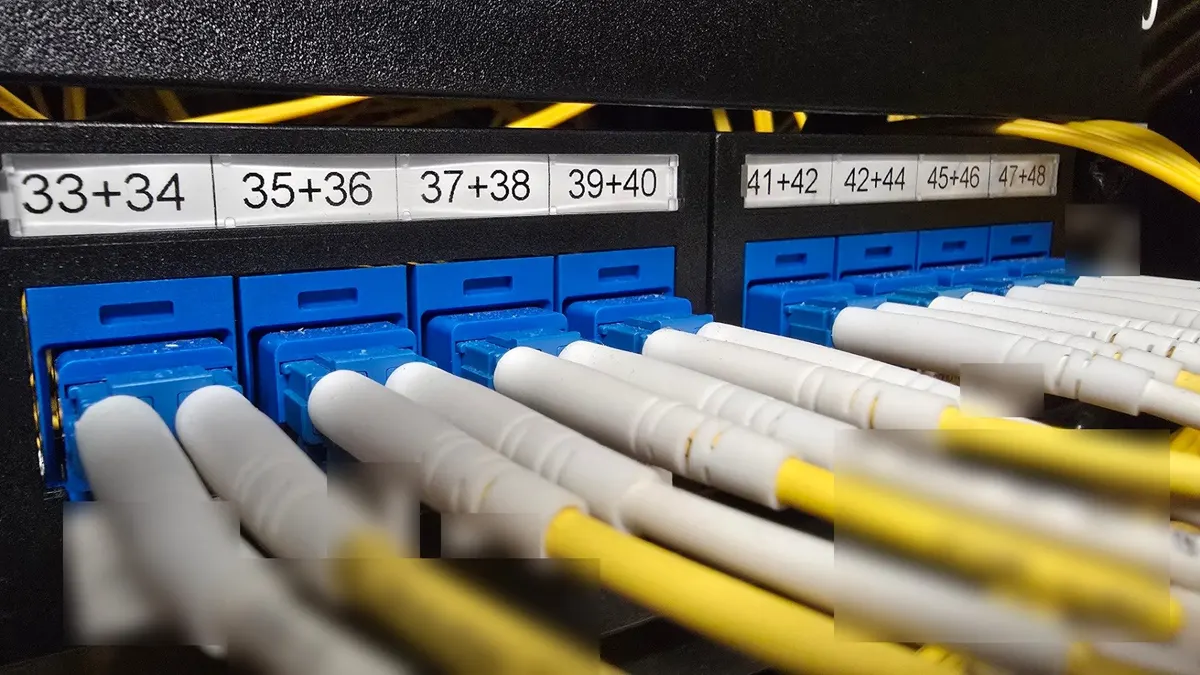
It is the companion to our smart hands ticket guide and rack cable management guide. The photos are from our own fibre jobs, with labels blurred.
On this page
What dBm means
dBm is power compared with one milliwatt. It is a log scale, so every 10 dB is a factor of ten and every 3 dB is roughly a factor of two. Losses add and subtract in dB, which is why light levels are written this way.
| Reading | Power | In plain terms |
|---|---|---|
| 0 dBm | 1 mW | The reference point |
| -3 dBm | about 0.5 mW | Half of 0 dBm |
| -10 dBm | 0.1 mW | A tenth |
| -20 dBm | 0.01 mW | A hundredth |
A meter has two modes. Absolute (dBm) reads the power at that point. Relative (dB) reads the loss against a reference you stored first, usually the transmit level. The meter in our photo switches between them with its dBm/dB button.
Receive windows for common 10G optics
These are Cisco's published figures for its 10GBASE SFP+ optics (data sheet c78-455693, page marked updated 6 October 2026). Other brands publish their own; check the data sheet for the part fitted.
| Optic | Fibre and reach | Wavelength | Transmit (dBm) | Receive (dBm) |
|---|---|---|---|---|
| SFP-10G-SR | Multimode, 300 m on OM3, 400 m on OM4 | 840 to 860 nm | -7.3 to -1.2 | -9.9 to -1.0 |
| SFP-10G-LR | Single mode, 10 km | 1260 to 1355 nm | -8.2 to +0.5 | -14.4 to +0.5 |
| SFP-10G-ER | Single mode, up to 40 km | 1530 to 1565 nm | -4.7 to +4.0 | -15.8 to -1 |
Two things fall out of that table. An LR link can lose up to 6.2 dB between the weakest allowed transmitter and the receiver minimum and still work. An ER optic can transmit more than its own receiver accepts, so on a short link it overloads the far end. Cisco calls for a 5 dB attenuator on ER links under 20 km.
A worked loss budget
A loss budget adds up every connection and every metre of fibre between the two optics. The Fibre Optic Association publishes the TIA-568-B.3 maximums alongside typical values. Later editions of the standard give tighter single mode cable figures, so treat these as the ceiling:
| Item | TIA-568-B.3 maximum (FOA) | Typical (FOA) |
|---|---|---|
| Mated connector pair | 0.75 dB | 0.3 dB; factory made single mode leads 0.1 to 0.2 dB |
| Splice | 0.3 dB | Under 0.05 dB for a single mode fusion splice |
| Single mode fibre, 1310 and 1550 nm | 1.0 dB/km inside plant, 0.5 dB/km outside plant | 0.4 dB/km at 1310 nm, 0.3 dB/km at 1550 nm |
| Multimode fibre, 850 nm | 3.5 dB/km | 3 dB/km |
| Multimode fibre, 1300 nm | 1.5 dB/km | 1 dB/km |
Example: a 10GBASE-LR link from your switch to a carrier, through your patch panel, a cross connect and the carrier's panel. That is four mated connector pairs and about 300 m of single mode fibre.
- Worst case: 4 x 0.75 dB + 0.3 km x 1.0 dB/km = 3.3 dB. From the weakest LR transmitter (-8.2 dBm) the receiver sees -11.5 dBm, still 2.9 dB above its -14.4 dBm minimum.
- Typical: 4 x 0.3 dB + 0.3 km x 0.4 dB/km = about 1.3 dB.
- So: more than about 3.3 dB on a link of this shape means something in the path is worse than the TIA figures allow. Near 6 dB the weakest LR transmitter is at the edge of failing. The connectors carry 3.0 of the 3.3 dB, so start there. The FOA suggests keeping about 3 dB of margin for ageing and repairs.
How we take a reading at the rack
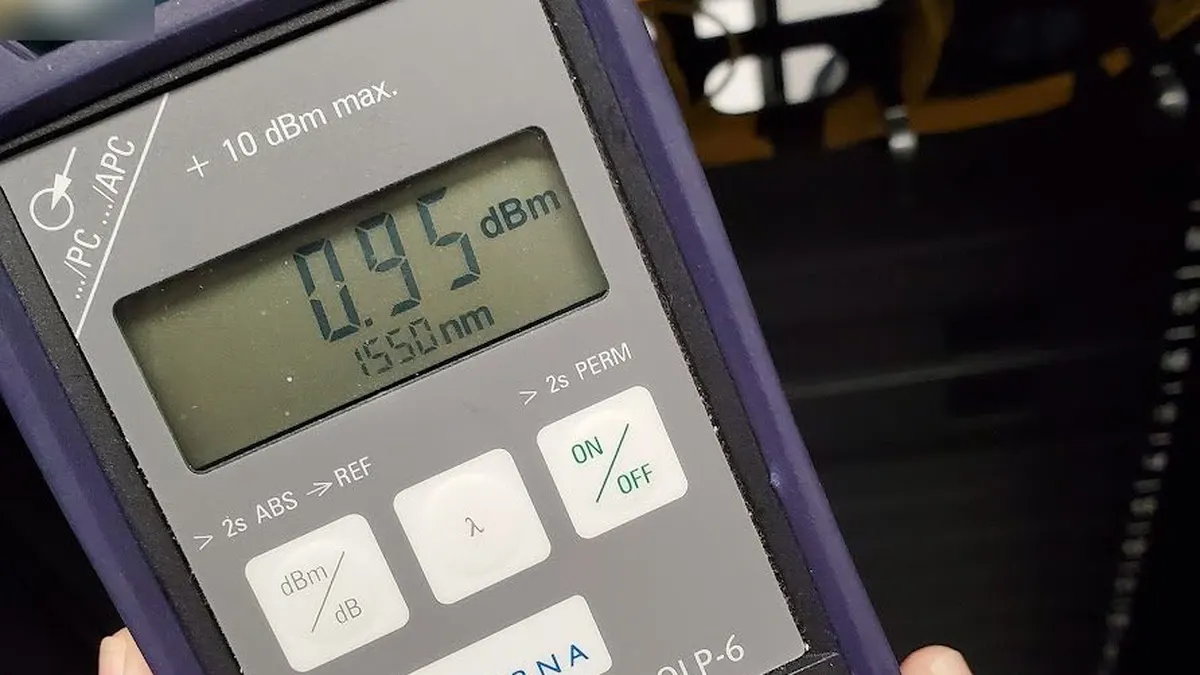
- Read the optics first. Most switches report the transmit and receive power their optic sees (digital diagnostics, SFF-8472). On Cisco IOS that is
show interfaces transceiver, on Junosshow interfaces diagnostics optics. Your team can do this before anyone goes to site. - Set the meter to the link's wavelength: 850 nm for SR, 1310 nm for LR, 1550 nm for ER.
- Inspect, clean, inspect again. IEC 61300-3-35 sets out end face inspection with a microscope. Dirt left in the contact area can scratch both end faces when they are mated, so a connector is cleaned and checked before it goes back in.
- Measure the transmit level at the near end, then the received level at the far end. The difference is the link loss; compare it with the budget.
- Work from the ends inwards. Patch leads first, then each panel, then the cross connect. Change one thing at a time and read again.
- Never look into a connector or port. Use the meter or a scope.
What the reading tells you
| Reading at the receiver | Most likely cause | Next step |
|---|---|---|
| Inside the window, link still down | Wrong port, wrong optic type, or a configuration fault | Confirm both ends with your team before touching fibre |
| Below the receive minimum | Dirty or damaged connector, bad patch lead, too many connections | Inspect and clean, swap the patch lead, read again |
| Nothing at all | Transmit and receive swapped, wrong strand, transmitter off, broken fibre | Check polarity at each panel, then the far end transmit |
| Above the receive maximum | Long reach optic on a short link | Fit an attenuator of the right value, or the right optic |
What to put on the ticket
- Both ends: data centre, rack, device and port at each end, and the cross connect ID if there is one.
- The optic part number at each end, so we can use its receive window.
- What your switches report now for transmit and receive power.
- Whether we may clean and reseat on our own, or must call before each change.
A light test and connector cleaning need someone at the rack: that is smart hands. A reseat while you watch the counters is remote hands.
Sources
- Cisco 10GBASE SFP+ Modules Data Sheet (optic power ranges, ER attenuator note).
- The Fibre Optic Association: loss budgets and TIA-568 fibre figures.
- IEC 61300-3-35:2022 (fibre end face inspection).
FAQ
What is a good fibre light level?
One that sits inside the receive window of the optic at that end, with a few dB to spare. For a Cisco SFP-10G-LR that window is -14.4 to +0.5 dBm. There is no single good number for every optic.
What does a negative dBm reading mean?
Less than one milliwatt of light. 0 dBm is 1 mW, -10 dBm is 0.1 mW and -20 dBm is 0.01 mW. Almost every received signal in a data centre reads negative, so a minus sign on its own is not a fault.
Can too much light break a link?
Yes. Each receiver has a maximum as well as a minimum. Cisco lists -1 dBm as the receive maximum for its SFP-10G-ER, while the same optic can transmit up to +4.0 dBm, which is why Cisco calls for a 5 dB attenuator on ER links under 20 km.
Can remote hands check light levels?
Partly. Most switches report transmit and receive power from the optic itself, so your team can read those remotely first. An optical power meter, connector inspection and cleaning need someone at the rack, which is a smart hands job.
Need a light test or a fibre fault found?