24/7 dispatch, on site from 90 minutes

Sydney data-centre smart hands

Smart hands is on-site technical work inside a data centre (rack and stack, cabling, hardware swaps and console troubleshooting) when your staff cannot be there. eWEB TEC provides 24/7 smart hands at Equinix SY1 to SY5 (Mascot and Alexandria), NextDC S1/S2 (Macquarie Park), Global Switch Ultimo, and CDC Eastern Creek and Marsden Park.

Every job needs a named data centre and a MOP. Call +61 407 453 817 if you need someone on the floor tonight.

  • 24/7 dispatch
  • Data centre named on every ticket
  • Your MOP, our hands
  • Since 2003
Abstract isometric diagram of a server rack with a drive tray
Definition
on-site rack, cabling, hardware and console work inside the data centre on your behalf
Coverage
Equinix SY1 to SY5 (639 Gardeners Rd Mascot; Bourke Rd Alexandria), NextDC S1/S2 Macquarie Park, Global Switch Ultimo, CDC Eastern Creek and Marsden Park; other metro data centres by clearance
Response
24/7 emergency dispatch; on-site from 90 minutes when clearances allow

What smart hands covers

Work inside your cage or rack, to your MOP, at the data centre named on the ticket.

Rack and stack

Unbox, rail, mount, power and patch new kit to your rack diagram, labelling scheme and cable colours.

Cabling

Fibre, copper and power runs inside your cabinet or cage, dressed, labelled and recorded in the completion report.

Hardware replacement

Swap RAM, drives, NICs, motherboards and power supplies in a running rack, inside your change window.

Fault finding

Fault LEDs, reseats, swap tests and console checks on servers, storage and switches. What we found goes in the report.

Receiving deliveries

We take delivery of your hardware at the data centre, check it against the packing list and rack it on your schedule.

Decommissioning and drive destruction

Power down, de-rack and remove retired servers against your asset list. Drives are wiped or destroyed, serial numbers are recorded, and the hardware leaves on a chain of custody. How a decommission runs.

Recent jobs

38 servers into one Equinix rack

Job details

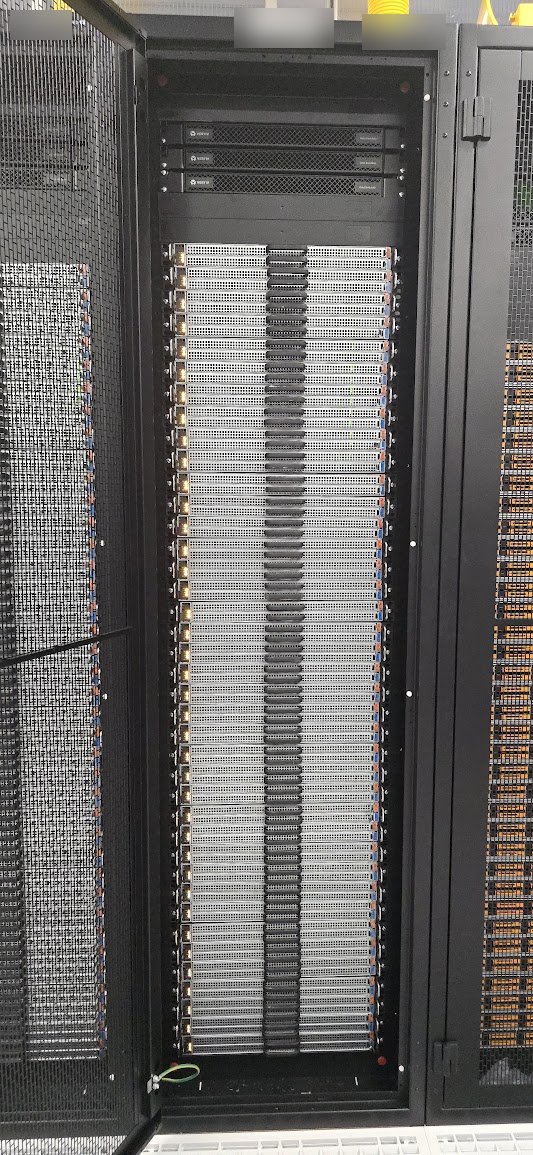
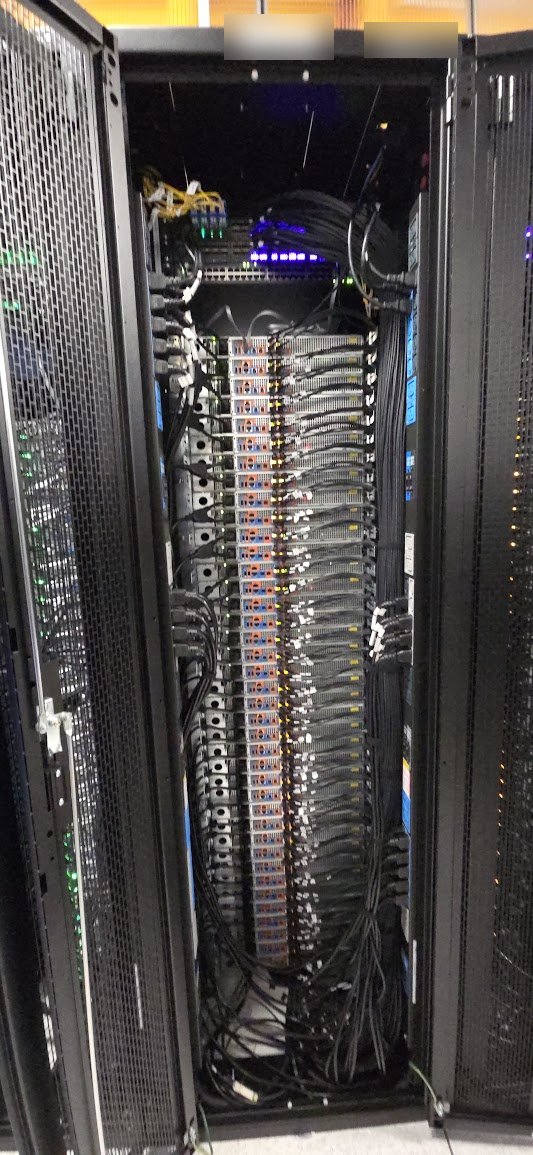
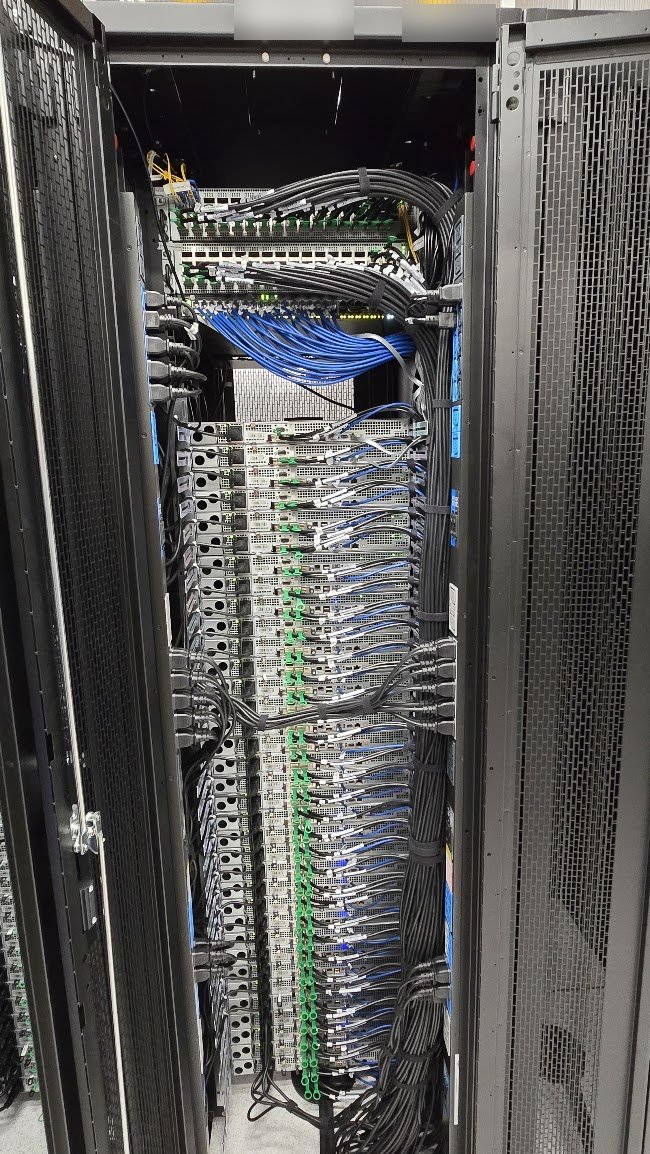
A full rack of 38 1RU servers, installed at an Equinix data centre in Sydney. Every server went in on rails, then got its network, management and power cabling and was configured before handover. Rack and cage numbers are blurred in the photos.

  • 38 servers, 1RU each, racked top to bottom under the rack's power and switching gear.
  • Two QSFP cables per server, run up to the switches at the top of the rack.
  • A management cable to every server, kept on its own colour so it is easy to trace.
  • Power to every server, dressed down the power strips on each side of the rack and tied in bundles.
  • Configured and checked before we signed the job off.

In a rack this dense, loose cables block airflow and turn a later drive or server swap into a long night. Every lead here is routed and tied so one server can come out without disturbing the ones around it.
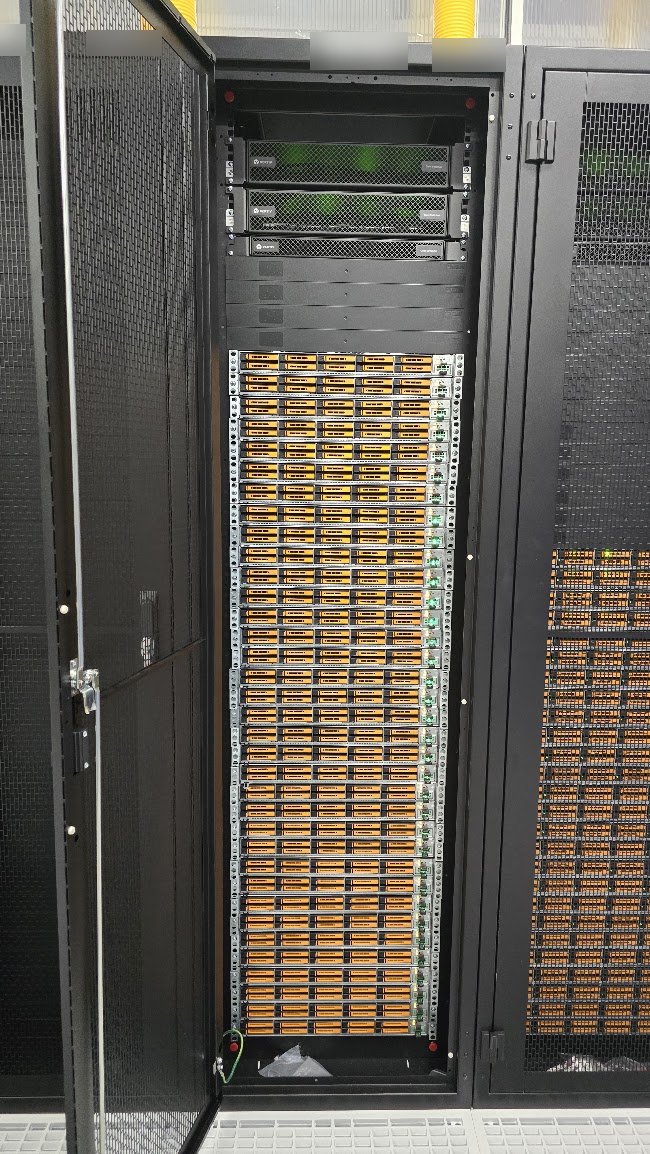
Front of an Equinix rack holding 38 newly installed 1RU servers, rack labels blurred
Front: 38 servers racked and powered.
Rear of the same rack showing QSFP, management and power cabling routed and tied, rack labels blurred
Rear: QSFP, management and power cabling, routed and tied.

Routers and switches: cross connects, patching, management and console

Job details

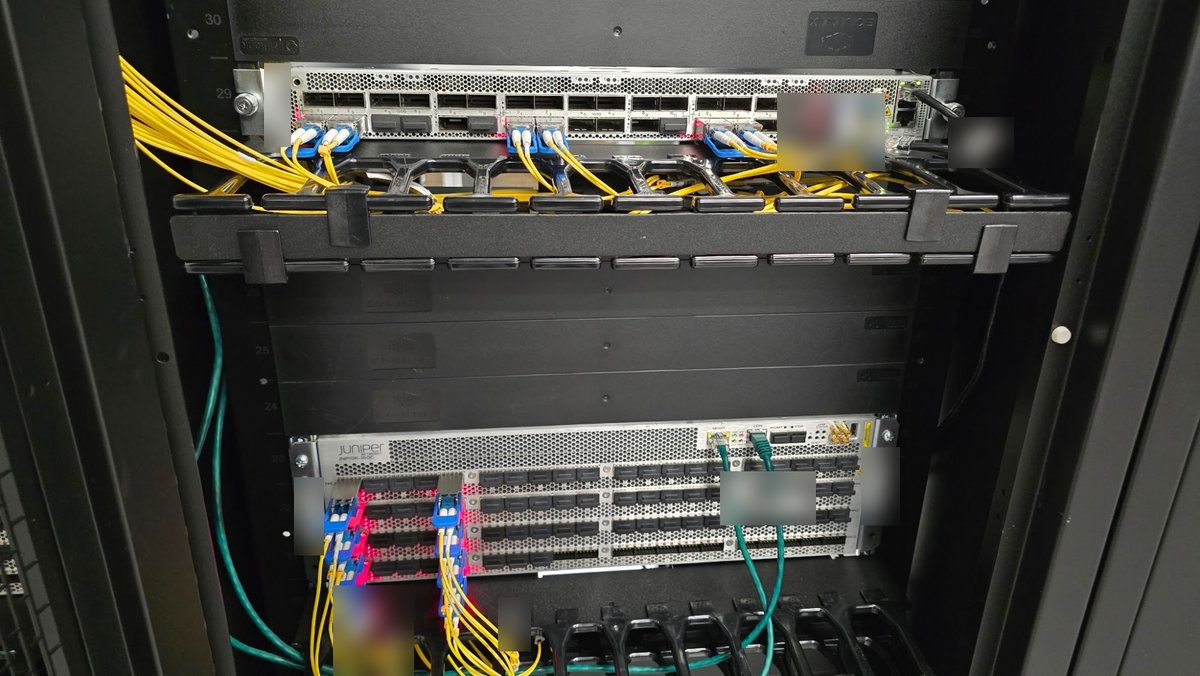
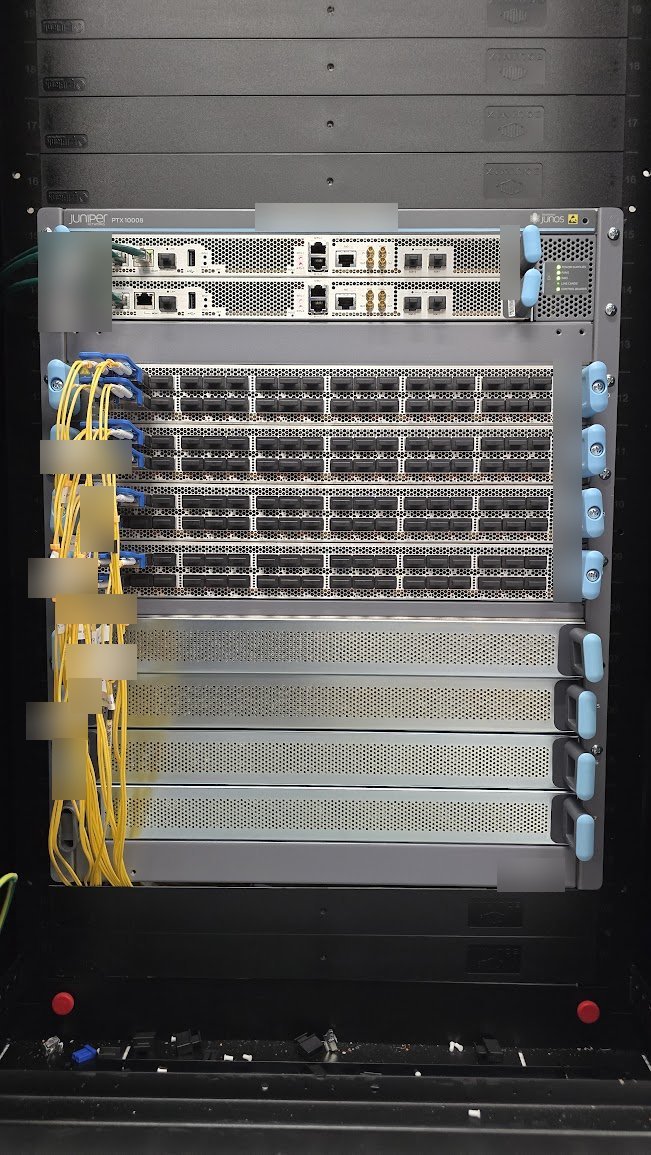
A network build at an Equinix data centre in Sydney: Juniper routers, including a PTX10008 chassis, and switches racked, cabled and made reachable before the customer’s engineers logged in. Device names on the labels are blurred in the photos.

  • Cross connects from the data centre landed and patched into the router line cards.
  • Single mode fibre patches run through the horizontal cable managers, with every lead labelled, so a line card or optic can be swapped without unpicking the rest.
  • Management links to every device, on their own colour of copper.
  • Console cables to every device, so the remote team has out of band access even when the network is down.

This is the work that decides how a later fault goes. With every link labelled and every console connected, the engineer on the phone can name the port, and the person in the data centre can find it.

Juniper router and switch at an Equinix data centre with labelled single mode fibre cross connects, green management and console leads, device labels blurred
Fibre cross connects, management and console leads on a router and switch.
Juniper PTX10008 chassis router with patched line cards and labelled fibre, device labels blurred
Juniper PTX10008: line cards patched, routing engines on management.

A second rack of 38 servers, four SFP links each

Job details

The next rack along at the same Equinix data centre in Sydney: another 38 1RU servers, this time with four SFP cables per server. That is more than 150 network leads in a single rack, on top of the power, and every one of them had to land on the right switch port. Rack numbers are blurred in the photos.

  • 38 servers, 1RU each, racked on rails under the rack's power and switching gear.
  • Four SFP cables per server, run to the switch at the top of the rack.
  • Power to every server, routed to the power strips on both sides and tied in bundles.
  • Configured and checked before sign off.
Front of a second Equinix rack holding 38 newly installed 1RU servers, rack labels blurred
Front: 38 servers racked and powered.
Rear of the rack showing four SFP cables per server and power leads routed to both power strips, rack labels blurred
Rear: four SFP links per server, plus power, routed and tied.

Fault finding on fibre and SFP cables

Job details

Fault finding on a fibre link at a customer site, working at the patch panel and the SFP links. Panel labels, circuit codes and cable markings are blurred in the photos.

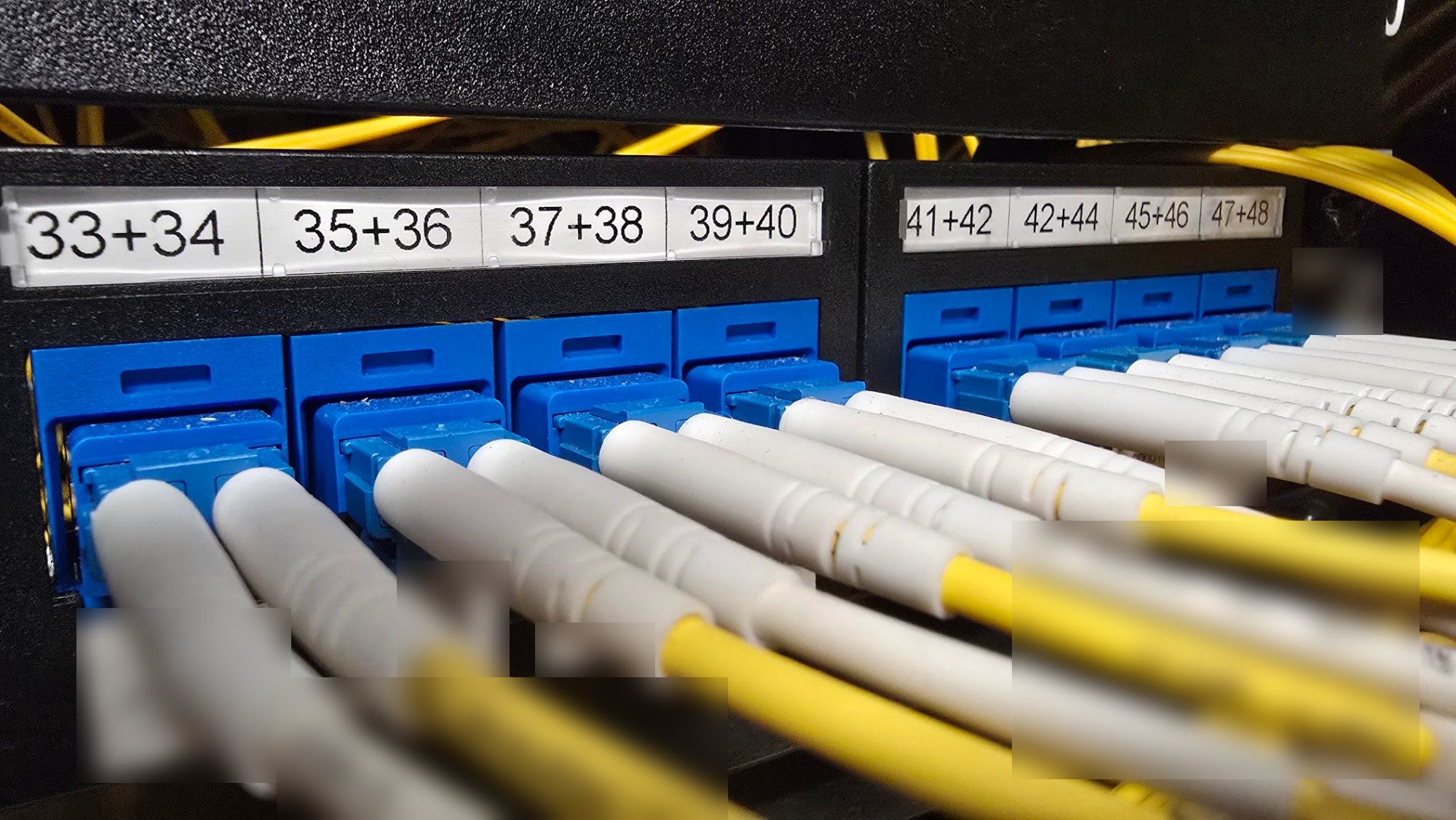
  • Fibre patching traced port by port on a live patch panel.
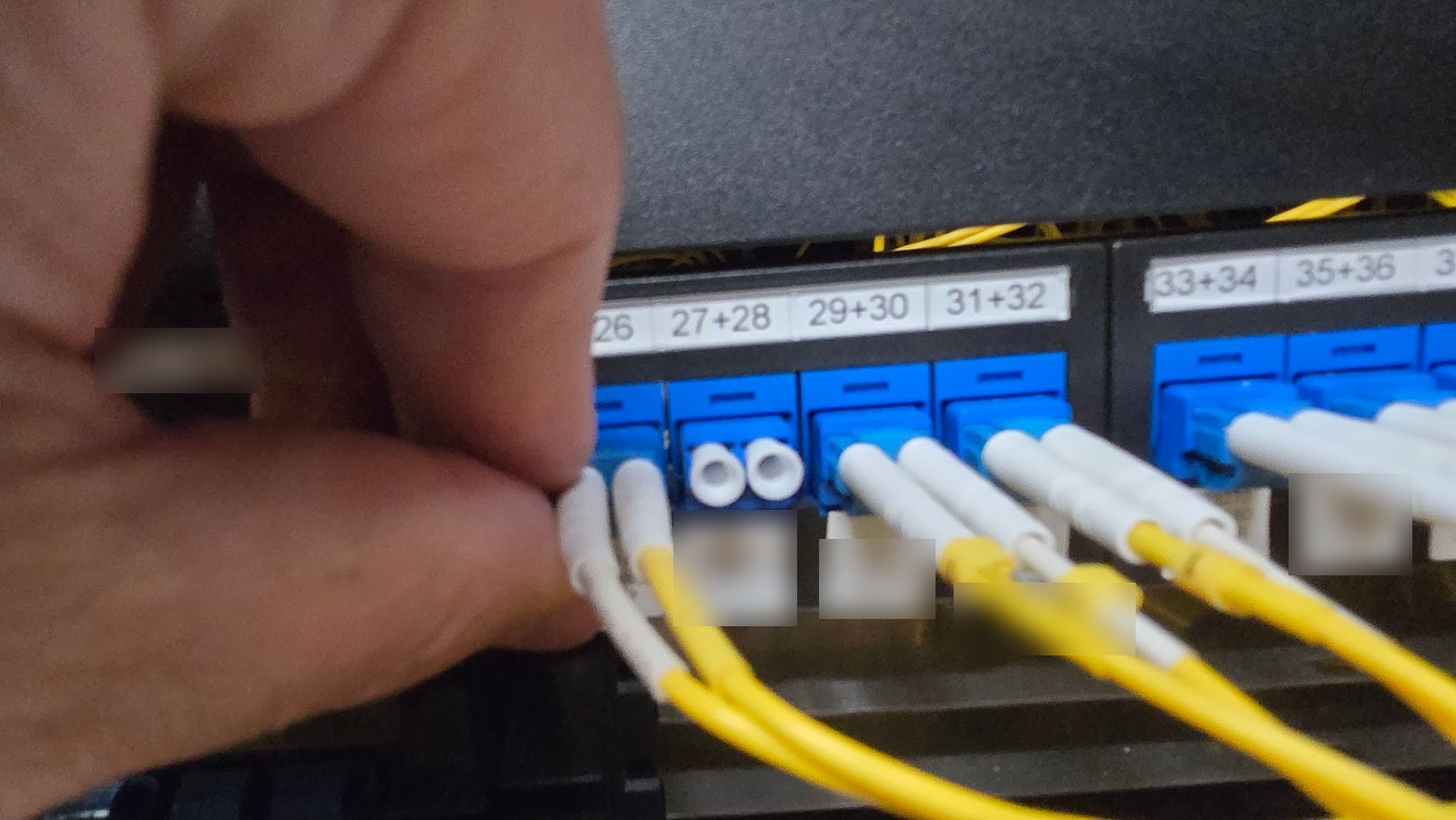
  • SFP and fibre leads reseated and checked one pair at a time.
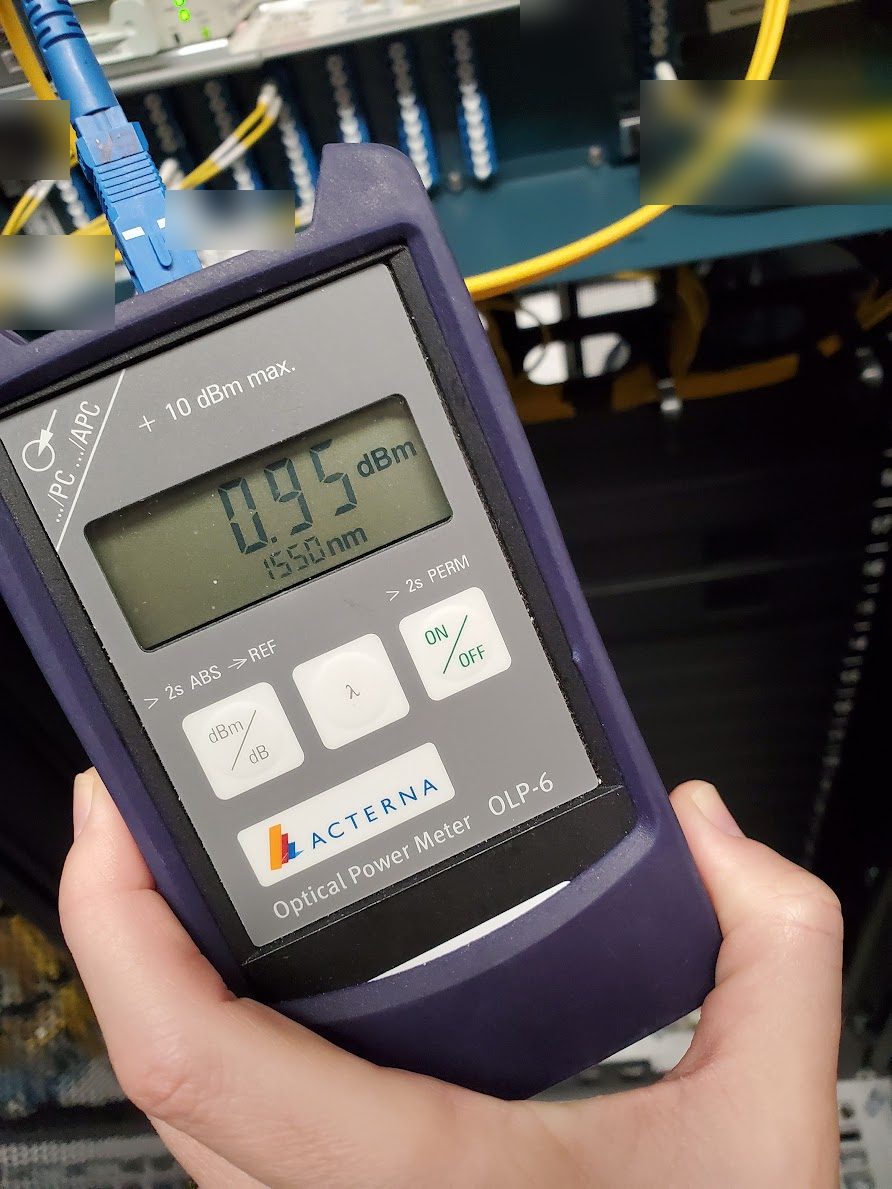
  • Light level measured at 1550 nm with an optical power meter on the lead under test.
Optical power meter reading 0.95 dBm at 1550 nm with a blue SC connector plugged in, fibre patching behind, labels blurred
Light level measured with an optical power meter.
Fibre patch panel with blue adapters, ports 33 to 48 labelled and yellow duplex fibre leads plugged in, cable labels blurred
Patch panel: leads traced port by port.
Technician pulling a fibre connector from a patch panel to test the link, circuit labels blurred
Pulling a connector to test the link.

Server configuration at the console

Job details

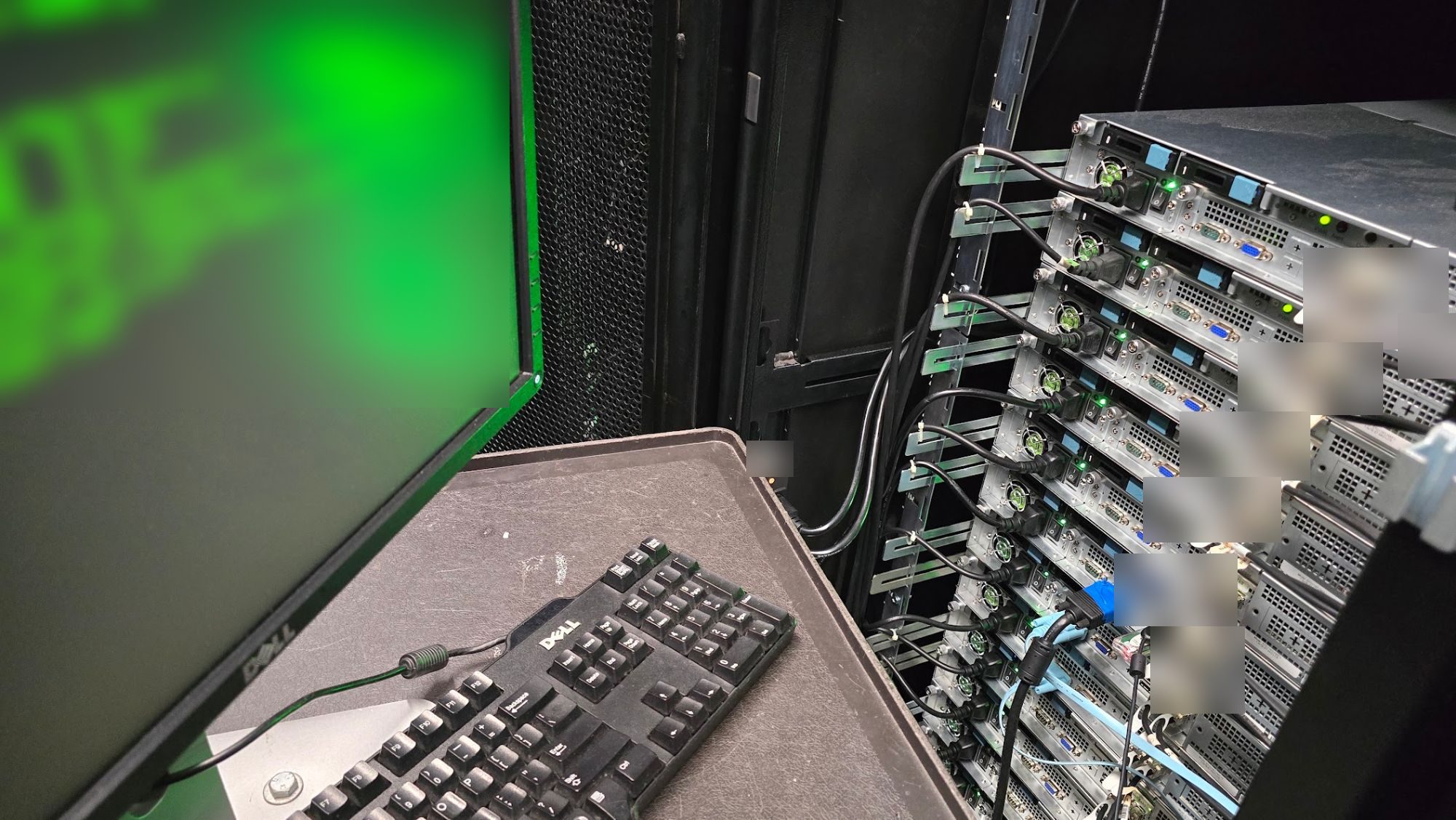
A rack of servers configured on site from a crash cart, with the console output on screen. Screen text, cable tags and asset labels are blurred in the photo.

  • Network addressing and disks set up and checked at the console, server by server.
  • Power and network leads labelled and dressed down the side of the rack.
Crash cart monitor and keyboard beside a rack of servers being configured at the console, screen text and labels blurred
Crash cart at the rack, console configuration under way.

Sydney data centres we attend

The addresses are the ones each operator publishes. Rosebery, Botany, Waterloo and St Peters border the Equinix buildings in Mascot and Alexandria, so a job in those suburbs is one of SY1 to SY5. Put the IBX code on the ticket.

Equinix Mascot and Alexandria

SY1 and SY2: Unit B/C, 639 Gardeners Road, Mascot 2020, about two kilometres from Sydney Airport. SY3: 47 Bourke Road, Alexandria. SY4 and SY5: 200 Bourke Road, Alexandria. The market often says “Equinix Mascot” for the whole campus. Access, cages and escorts are still per IBX, so the ticket must name the building.

Typical work: rack and stack, fibre and copper dressing, DIMM/drive/PSU swaps, console while your NOC is on the bridge.

Dispatch to Equinix Mascot / Alexandria

Global Switch Ultimo

400 Harris Street, Ultimo 2007. Different loading dock and after-hours process to Equinix. We treat Ultimo as its own site; it is not an add-on to a Gardeners Road ticket.

Same smart-hands scope: hardware, cabling, break-fix, live bridge. Same rule: we follow your MOP and stop if the floor does not match the runbook.

Dispatch to Ultimo

NextDC Macquarie Park

S1: 4 Eden Park Drive. S2: 6-8 Giffnock Avenue, Macquarie Park 2113. Our office is 8 Frederick Street, Artarmon, and NextDC S3 and S6 sit on Broadcast Way in the same suburb. Our named NextDC coverage is S1 and S2. Other NextDC sites, including Artarmon, are booked once access is confirmed for that customer.

Dispatch to NextDC S1 / S2

CDC Eastern Creek & Marsden Park

CDC Sydney campuses sit in Western Sydney. Eastern Creek is 17 Roberts Road, where EC1 to EC4 are live (EC5 and EC6 as they come online). Marsden Park is 105-113 Hollinsworth Road; that campus is still being built out, so name the building on the ticket.

Dispatch to CDC

AirTrunk, Macquarie Data Centres and Vocus Sydney are attended when we hold current access for that customer. We confirm the building on the ticket. We do not advertise a guaranteed arrival time at every building in Sydney.

Data centreStreetSuburb
Equinix SY1 / SY2639 Gardeners RdMascot 2020
Equinix SY347 Bourke RdAlexandria 2015
Equinix SY4 / SY5200 Bourke RdAlexandria 2015
Global Switch400 Harris StUltimo 2007
NextDC S14 Eden Park DrMacquarie Park 2113
NextDC S26-8 Giffnock AveMacquarie Park 2113
CDC Eastern Creek (EC1 to EC4)17 Roberts RdEastern Creek 2766
CDC Marsden Park105-113 Hollinsworth RdMarsden Park 2765

Streets are operator-published. Confirm the live access process in the facility portal before a change window. Orientation guide: Sydney data centres map.

How a smart hands job runs

01

Send the ticket

Call +61 407 453 817 or use the contact form. Give the data centre and building (IBX or site code), the rack or cage, your MOP and the change window.

02

Access and briefing

We confirm the facility access request has cleared, and the engineer reads your MOP and diagrams before leaving.

03

On the floor

The engineer works through the MOP with your team on the phone or bridge. If the floor does not match the runbook, we stop and call you.

04

Completion report

Before and after photos, ports, serial numbers, and what changed and when. Enough to close the change ticket without a follow up call.

Frequently asked questions

The questions people ask before the first call.

Dispatch an engineer
Which Sydney data centres do you support?

Our main data centres are Equinix SY1 to SY5 (Mascot and Alexandria), NextDC S1/S2 (Macquarie Park), Global Switch Ultimo, and CDC Eastern Creek and Marsden Park. AirTrunk, Macquarie Data Centres and Vocus Sydney are attended when we hold current access for that customer. We confirm the building on the ticket.

Do you work at CDC Eastern Creek and Marsden Park?

Yes. CDC Eastern Creek is 17 Roberts Road, where EC1 to EC4 are live (EC5 and EC6 as they come online). CDC Marsden Park is 105-113 Hollinsworth Road. Name the building on the ticket; that campus is still being built out.

What is Equinix smart hands in Sydney?

On-site work inside Equinix SY1 to SY5 when your staff cannot attend: rack and stack, cabling, break-fix and console. Equinix also sells its own Smart Hands product to tenants; eWEB TEC is a third-party engineer you clear onto the cage. We work 24/7 once that access is in place.

Are Equinix SY1 and SY2 in Mascot or Alexandria?

SY1 and SY2 are at 639 Gardeners Road, Mascot 2020. SY3 is 47 Bourke Road, Alexandria; SY4 and SY5 are at 200 Bourke Road, Alexandria. People often say “Equinix Mascot” for the whole campus. The ticket still needs the IBX code, because access is per building.

Our rack is in Rosebery, Botany or Waterloo. Can you attend?

Yes. Those suburbs border the Equinix buildings on Gardeners Road and Bourke Road. Put the IBX code (SY1 to SY5) on the ticket.

Do you work NextDC S3 in Artarmon?

NextDC S3 and S6 are on Broadcast Way, Artarmon, the same suburb as our Frederick Street office. Our named NextDC coverage is S1 and S2 at Macquarie Park. Other NextDC sites are booked once access is confirmed.

What is the difference between smart hands and remote hands?

Remote hands is a junior, directed task (power cycle, look at a light, reseat a cable). Smart hands is a technician who can follow a MOP, rack gear and troubleshoot. Book smart hands when the job needs judgement; remote hands when you are on the phone directing every step. Guide: https://ewebtec.com/blog/smart-hands-vs-remote-hands

What tasks can your Smart Hands team perform?

Rack and stack, cabling, swapping RAM, drives, NICs, motherboards and power supplies, fault finding at the rack, and receiving and racking new hardware. We work to your MOP.

Can you receive and install new hardware shipments?

Yes. We check the delivery against your packing list, rack it to your diagram, cable it and power it on, ready for your team to configure remotely.

Do you offer emergency call-outs?

Yes. Dispatch is 24/7, and an engineer is on site from 90 minutes when clearances allow.

How do you handle remote management during the task?

We stay on a live bridge or phone call with your team for the whole task, report each step as it is done, and stop and call you if anything does not match the MOP.

Do you provide documentation after the work?

Yes. Every job ends with a written report: before and after photos, ports, serial numbers, what changed and when, and anything we noticed outside the MOP.

Is there a minimum charge, and what counts as after-hours?

Every smart hands call-out is billed hourly with a 2-hour minimum, covering travel, facility sign-in, the work and the report. Business hours are 8am to 6pm Monday to Friday; nights, weekends and public holidays are after-hours. Planned change windows need 24 hours’ notice so the facility access request can clear: you lodge it and add our engineer, or we raise it on your account with written authority. Faults are dispatched 24/7. More detail in what smart hands costs in Sydney.

Ready to talk?

Call +61 407 453 817 or send a message and we will call you back.

Message on WhatsApp

Artarmon NSW 2064 · Narrabeen NSW 2101 · Sydney data centres 24/7

Dispatch an engineerCall